 BABICZ
BABICZ PRE
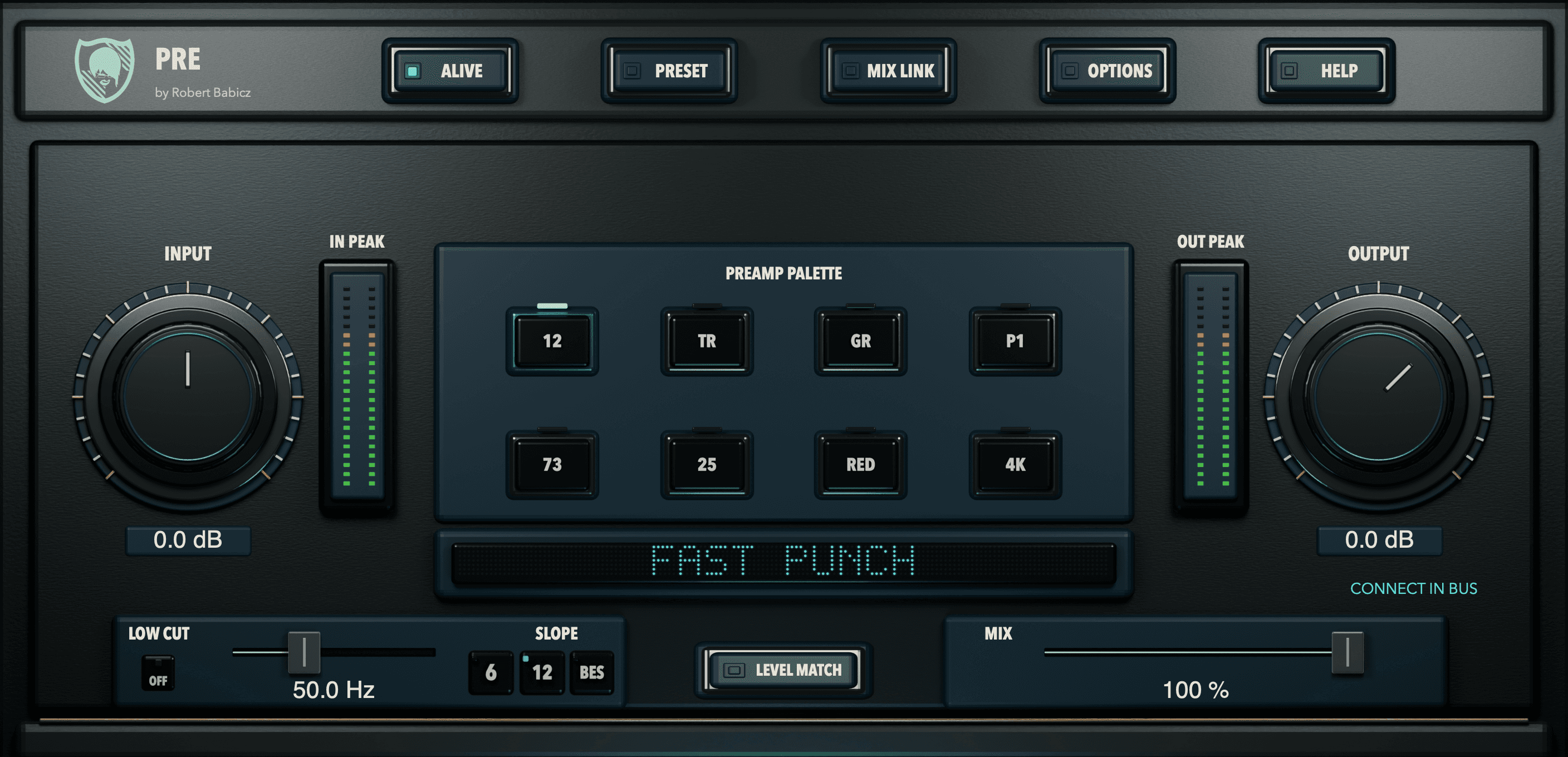
Each track gets one of eight real inputs, as if it had passed through a preamp on its way into the mix. Seven microphone preamps and one transformer pair from Robert's studio, captured as anonymous characters, each with its own transient shape, harmonic development, contour and dynamic breathing.
01 The idea
Find the character of each track.
A vocal that needs to step forward. A bass that needs more definition. Drums that could use a little more attitude. PRE gives you eight characters to explore by ear, with input level and model choice working together to shape the result.
Start with a small change. Adjust INPUT, compensate with OUTPUT and compare at a similar listening level. Use LOW CUT and MIX to place the effect where it serves the track. Push harder when the music asks for it.
- Eight characters to discover
- Different tonal personalities for different musical decisions. Switch models and listen in context.
- Control the drive
- Explore how each model responds to input level, then balance the output for a more useful comparison.
- Keep your options open
- LOW CUT, MIX and the contextual Flying Help make it easy to try a direction and understand the controls as you work.
02 The eight characters
Seven microphone preamps and one transformer pair, each a code.
PRE contains eight input characters: seven real microphone preamps and one real transformer pair, modelled from devices in Robert's studio. They carry no manufacturer or model names, only a code. Choose by listening to the source.
0112OPEN / FAST
Open, fast, punchy; more drive adds bite. Try drums, percussion or piano.
02TRSUBTLE IRON
Subtle transformer weight and depth; gradual density. Try bass or synths.
03GRLARGE / DEEP
Broad, deep and open; builds into density. Try acoustic sources or spacious drums.
04P1FOCUSED
Focused and present; controlled, creamy density. Try vocals, guitar or lead synths.
0573WARM / DENSE
Warm and dense; a more abrupt late saturation knee. Try vocal body or parallel grit.
0625PUNCH / EDGE
Clean and punchy; a late, sharper edge. Try drum attacks or bass definition.
07REDPOLISHED / OPEN
Open and polished; restrained colour. Try vocals or sources needing clarity.
084KTIGHT / IMMEDIATE
Tight and direct; more drive adds rhythmic edge. Try kick or percussion.
Hear the eight characters
No process The demo without PRE.
The eight descriptions suggest listening directions and use cases. They are not fixed EQ curves or a quality ranking. Try the characters with your own material.
03 Buy or try
PRE comes with BUS: one purchase, one serial number.
BABICZ PRE/BUS, version 1.0.0
One product, two plugins: PRE on the tracks, BUS on the sum.
Two plugins, version 1.0.0, activated with one serial number for both. 11 factory presets in PRE, 14 in BUS. Manuals in English, German, French and Spanish.
Price, incl. VAT
€99 €149
Two plugins, one product, one serial number. Not sold separately.
14-day trial, fully functional, inside the plugin under OPTIONS, LICENSE, 14-DAY TRIAL. Name and email, no serial number.
Activation and trial require an internet connection.
04 Robert's quick start
Five steps, then listen.
- Step 1
- Load PRE as the first insert on a track.
- Step 2
- Set INPUT so the loudest parts hit the model at a healthy level.
- Step 3
- Select a character.
- Step 4
- Raise INPUT or lower HEADROOM in OPTIONS for density.
- Step 5
- Use TEXTURE to dose the colour, OUTPUT or LEVEL MATCH once for a fair comparison.
“There is no single best preamp. I have made music since 1990. After 36 years of practice and more than 1,000 released tracks, this choice itself has become central to my process.”
Robert Babicz, from the manual
05 Choosing a model
How much, and how to compare.
- How much
- There is no fixed percentage per model. Source level and frequencies, INPUT, HEADROOM, TEXTURE and MIX change the result. More INPUT does not imply strictly more harmonic content at every frequency.
- Fair comparison
- Start with a clean factory sound. Use the same passage and control settings, then retrigger LEVEL MATCH after each model choice. Compare quiet tails as well as strong attacks.
- Drive and blend
- INPUT raises drive; lower HEADROOM brings saturation forward. TEXTURE adjusts harmonic and tonal colour. MIX blends in clean audio. OUTPUT only adjusts the final level.
06 The controls
Ten controls, read from left to right.
- INPUT
- Controls how hard the signal drives the model, from -24 to +24 dB. Move from restrained colouration towards more pronounced saturation.
- OUTPUT
- Sets the output level and shows it on a meter.
- PREAMP PALETTE
- Eight buttons select the input character: 12, TR, GR, P1, 73, 25, RED or 4K.
- DISPLAY
- Shows the name of the current preset.
- LOW CUT
- A continuously variable minimum-phase filter from 20 to 400 Hz with three responses: 6 dB, 12 dB per octave, or Bessel.
- SLOPE
- Sets the low cut to 6 or 12 dB per octave, or to BES.
- LEVEL MATCH
- One press: PRE measures briefly and matches the level for a fair comparison.
- MIX
- A latency-compensated blend of dry and processed signal. Parallel saturation without a separate return track.
- TEXTURE
- Scales the model's harmonic and tonal signature from 0 to 150 percent. At 100 percent the hardware is the reference; higher settings deliberately extend beyond it.
- HEADROOM
- The circuit's operating margin, from 0 to 24 dB: lower values reach saturation sooner. Found in OPTIONS.
07 Mix experiment
Try it in a small arrangement.
Try 12 for air, 25 for drum attack, 73 for warm weight, P1 for focus and TR for quiet cohesion. Level fairly with LEVEL MATCH, enable ALIVE on several tracks and then bypass all PRE instances together. The contrast reveals not only colour, but how the mix begins to belong together.
08 The trial
Fourteen days, fully functional, started inside the plugin.
Step 1
Download the installer for macOS or Windows from the Downloads page and install it. It contains PRE and BUS.
Step 2
In your DAW, open PRE and go to OPTIONS, LICENSE, 14-DAY TRIAL. Enter your name and email. No serial number is needed.
Step 3
PRE runs fully functional for 14 days and shows the remaining days. Activation needs an internet connection.
09 Specifications
Formats, systems, languages and version at a glance.
- Formats
- AU and VST3 (macOS), VST3 (Windows), no AAX
- Systems
- macOS 11 or later, Apple Silicon only; Windows x64, Intel Core i5-12400 or AMD Ryzen 5 5600X class or better
- Standalone
- Not included; a plugin host is required
- Manual
- English, German, French, Spanish
- In-plugin HELP
- English, German, French, Spanish
- Version
- 1.0.0
- Presets
- 11 factory presets
- Captures
- 96 kHz
- Activation
- Internet connection required
10 The other half: BUS
PRE channels meet in BABICZ BUS, the finishing stage for the stereo sum.
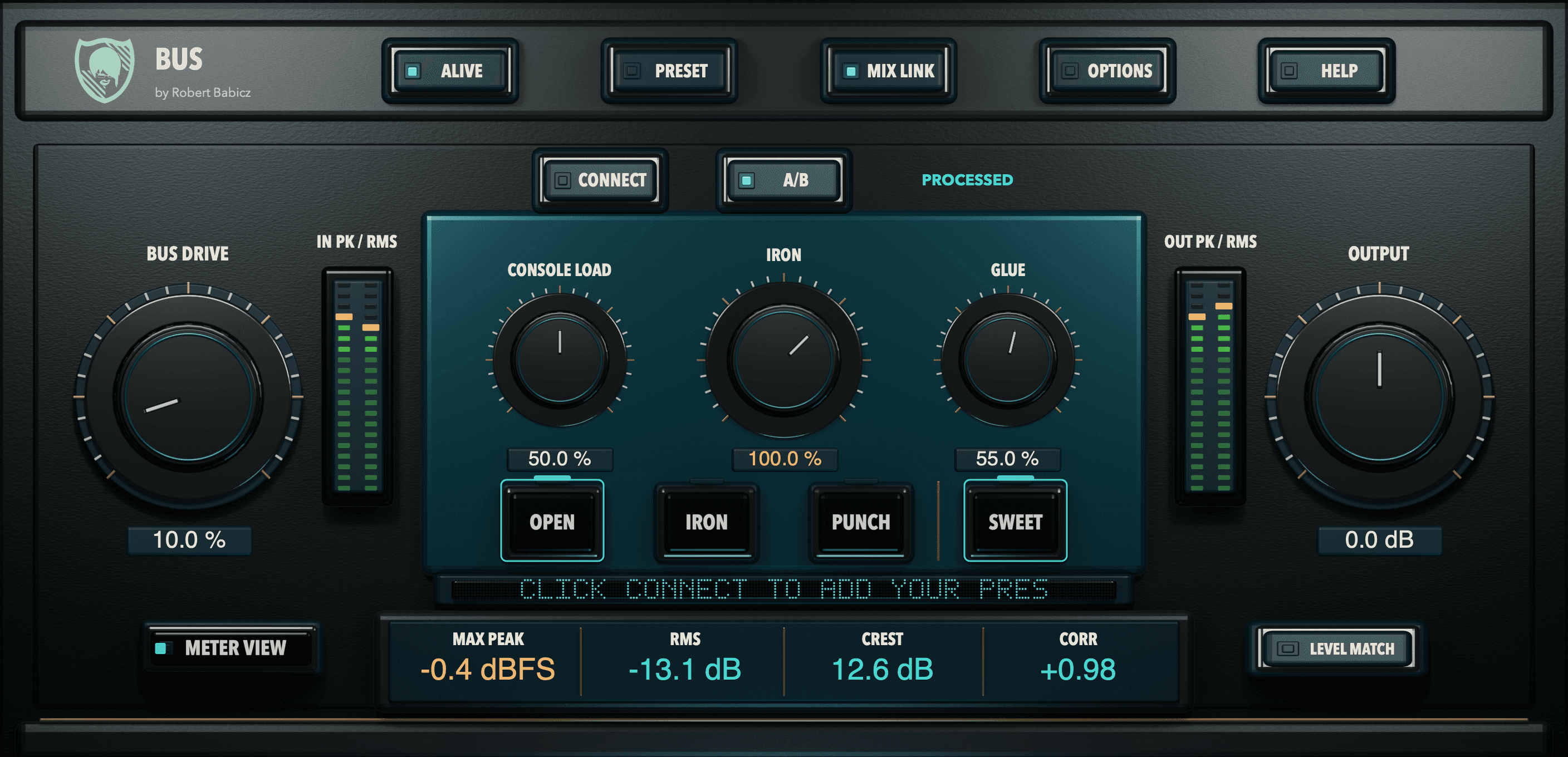
BABICZ BUS
A playable mix bus with body, connection and controlled movement.
BUS is the common finishing stage for a mix of PRE channels or any other stereo sum. BUS DRIVE introduces the captured master chain, CONSOLE LOAD the shared demand of an analogue supply, IRON the transformer weight, GLUE a parallel, sidechain-filtered density in three responses. It is not a mastering limiter.
Go to BABICZ BUS