 BABICZ
BABICZ BUS
The common finishing stage for a mix of PRE channels or any other stereo sum. Its core is Robert's complete analogue master chain; the transformer was captured separately so weight, supply load, density and iron can be balanced independently.
01 The idea
Hear the bigger picture.
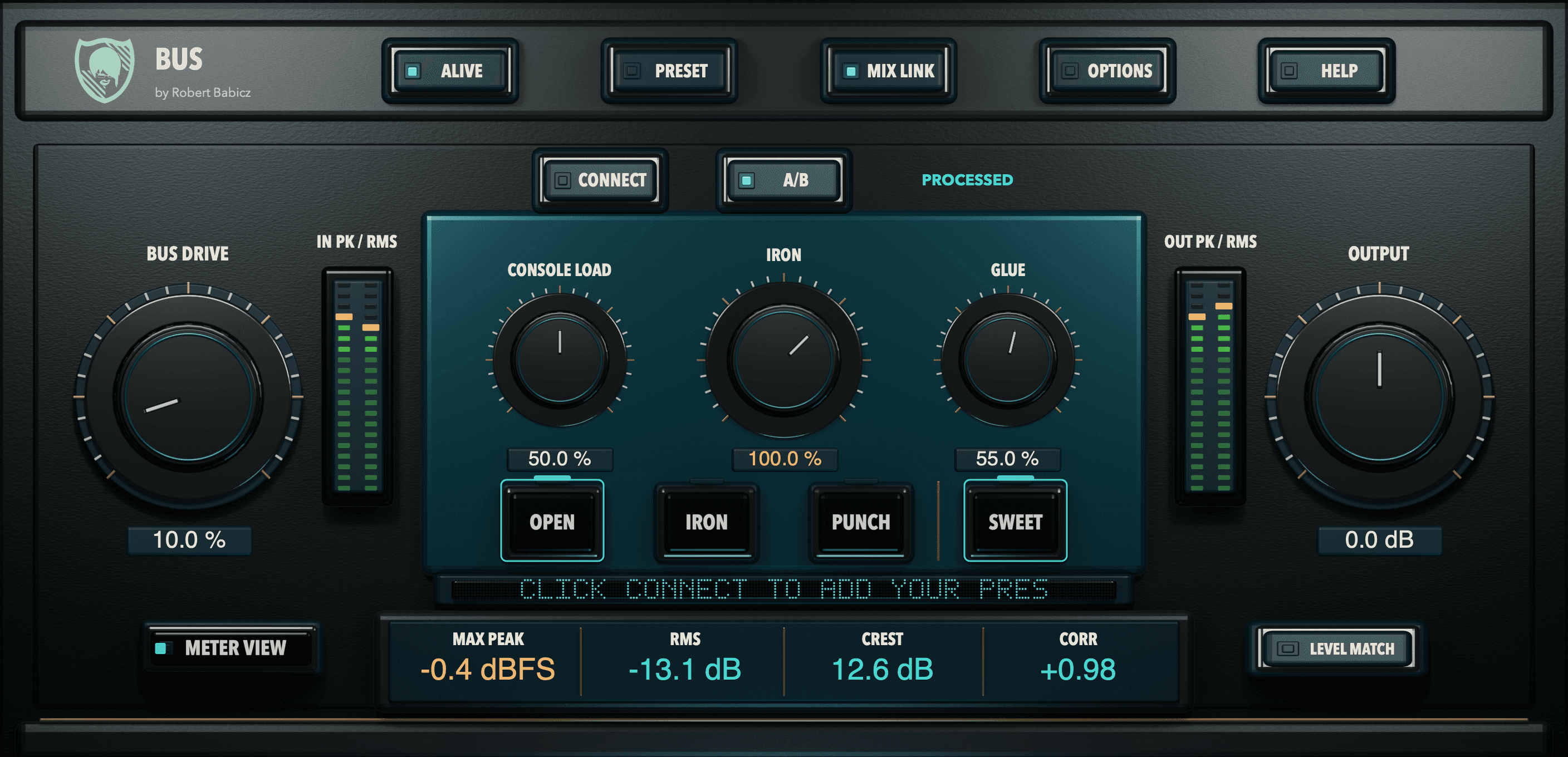
Place BUS on a group or your mix bus and shape the sound in context. Explore BUS DRIVE, CONSOLE LOAD, IRON, GLUE and SWEET, listening for the amount of colour, weight and cohesion that suits the arrangement.
Small moves can be enough. The shared ORIGINAL/PROCESSED comparison helps you step back and judge what your changes contribute to the music.
02 Three responses and one enhancer
OPEN, IRON, PUNCH. SWEET on top.
GLUEOPEN
The widest and slowest GLUE response. Transients remain most open; the master chain feels spacious rather than restrained.
GLUEIRON
The middle character connects body, transformer feel and calmer density. A universal starting point for complete mixes.
GLUEPUNCH
Faster attack and release for clear rhythm, tighter kicks and more audible parallel density.
SeparateSWEET
An independent broad contour, separate from GLUE: tangible weight around 60 to 80 Hz, a small midrange release, gently opened air around 6 to 8 kHz. Minimum-phase, fades in smoothly.
03 Buy or try
BUS comes with PRE: one purchase, one serial number.
BABICZ PRE/BUS, version 1.0.0
One product, two plugins: PRE on the tracks, BUS on the sum.
Two plugins, version 1.0.0, activated with one serial number for both. 11 factory presets in PRE, 14 in BUS. Manuals in English, German, French and Spanish.
Price, incl. VAT
€99 €149
Two plugins, one product, one serial number. Not sold separately.
14-day trial, fully functional, inside the plugin under OPTIONS, LICENSE, 14-DAY TRIAL. Name and email, no serial number.
Activation and trial require an internet connection.
04 Robert's quick start
Six steps, then LEVEL MATCH.
- Step 1
- Load BUS as the final tone-shaping insert on the mix.
- Step 2
- Use BUS DRIVE to introduce the captured master chain.
- Step 3
- Add CONSOLE LOAD for subtle shared supply demand.
- Step 4
- Set IRON for the separately captured transformer weight.
- Step 5
- Raise GLUE for parallel, sidechain-filtered density.
- Step 6
- Choose OPEN, IRON or PUNCH; SWEET is a separate broad tone enhancer. Press LEVEL MATCH once for a fair comparison.
Starting point
BUS DRIVE 20 to 35 percent, CONSOLE LOAD 15 to 30 percent, IRON 60 to 100 percent, GLUE 15 to 35 percent, OPEN or IRON. Press LEVEL MATCH, then refine by ear.
05 The controls
Twelve controls, read from left to right.
- BUS DRIVE
- Drives the recorded master chain for more harmonic character. The upper part of the range produces a hotter response.
- CONSOLE LOAD
- Models the behaviour of a shared analogue power supply. With MIX LINK enabled, activity from linked PRE tracks contributes to the response.
- IRON
- Weight and colour of the separately captured transformer pair. 100 percent is the hardware's reference operating point.
- GLUE
- Stereo-linked parallel compression. A high-pass filter in the detector keeps deep bass from driving the compression, so the rest of the mix moves together.
- OPEN
- The widest and slowest GLUE response. Transients remain most open.
- IRON (mode)
- The middle character, connecting body, transformer feel and calmer density. A universal starting point for complete mixes.
- PUNCH
- Faster attack and release for clear rhythm, tighter kicks and more audible parallel density.
- SWEET
- A separate broad tone enhancer.
- OUTPUT
- Sets the output level.
- LEVEL MATCH
- Press LEVEL MATCH once for a fair comparison.
- METER VIEW
- Cycles LEVEL (peak, RMS, crest, correlation), LOUDNESS (LUFS M/S/I and GR) and IMAGE (correlation, side/mid width, L/R balance and linked PREs).
- METERS
- MAX PEAK holds the highest output value; on CORR, +1 indicates correlated. BUS does not protect against overs. MAX PEAK shows the remaining headroom.
06 Meters
Mix guidance, not a limiter.
The meter row shows MAX PEAK with its distance to 0 dBFS, RMS for density, CREST as the difference between the two, and CORR for phase. METER VIEW cycles level, loudness (LUFS momentary, short-term, integrated) and image. BUS does not protect against overs; a dedicated limiter or mastering process may follow for final delivery loudness.
07 The trial
Fourteen days, fully functional, started inside the plugin.
Step 1
Download the installer for macOS or Windows from the Downloads page and install it. It contains PRE and BUS.
Step 2
In your DAW, open BUS and go to OPTIONS, LICENSE, 14-DAY TRIAL. Enter your name and email. No serial number is needed.
Step 3
BUS runs fully functional for 14 days and shows the remaining days. Activation needs an internet connection.
08 Specifications
Formats, systems, languages and version at a glance.
- Formats
- AU and VST3 (macOS), VST3 (Windows), no AAX
- Systems
- macOS 11 or later, Apple Silicon only; Windows x64, Intel Core i5-12400 or AMD Ryzen 5 5600X class or better
- Standalone
- Not included; a plugin host is required
- Manual
- English, German, French, Spanish
- In-plugin HELP
- English, German, French, Spanish
- Version
- 1.0.0
- Presets
- 14 factory presets
- Activation
- Internet connection required
09 The other half: PRE
Before the sum: BABICZ PRE gives each track one of eight input textures.
BABICZ PRE
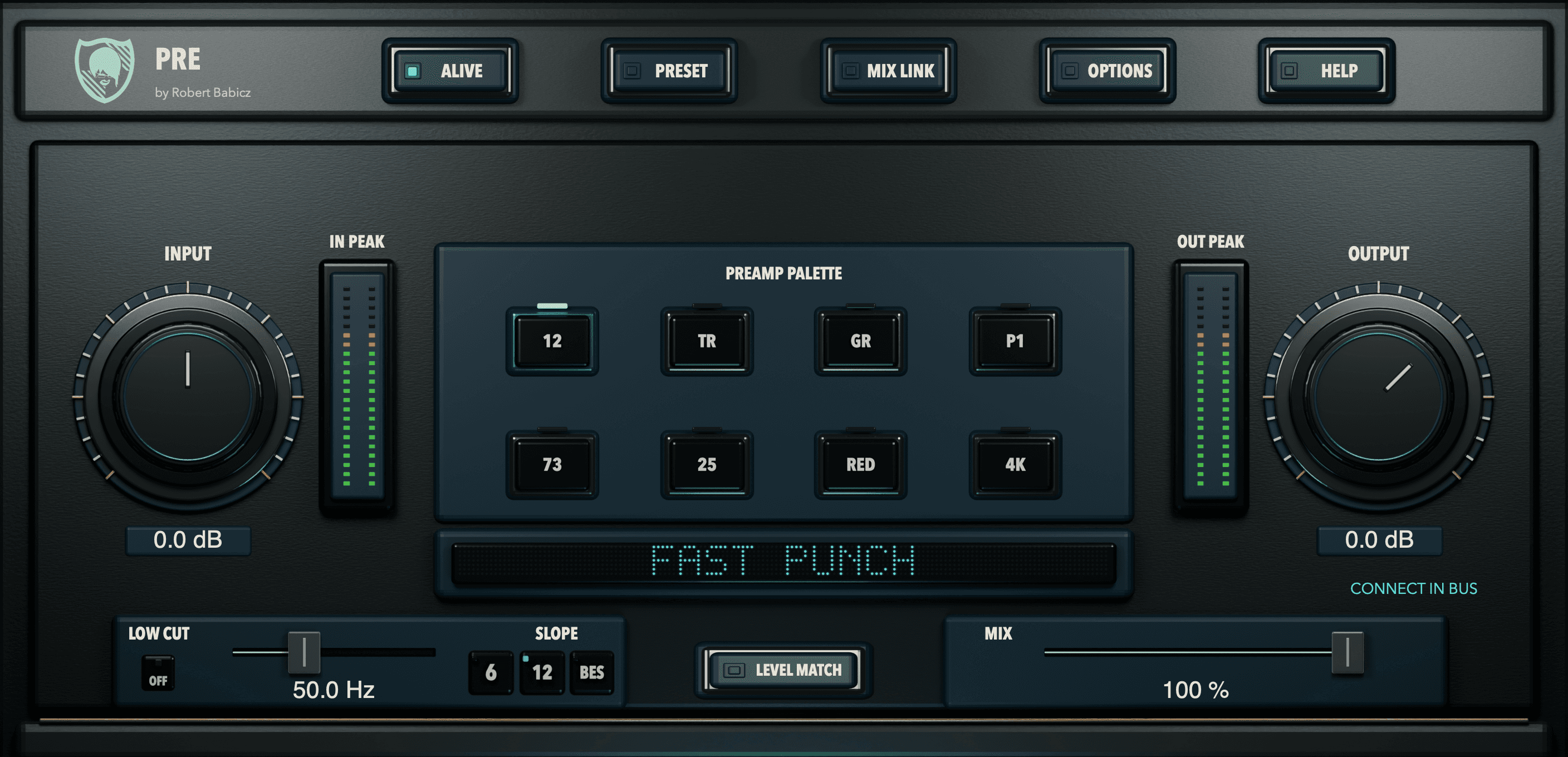
Eight analogue input textures for individual tracks.
Synths, samples and recordings receive different characters on individual tracks, as if they had left the DAW, passed through real console or preamp inputs and been recorded again. INPUT sets how hard the signal drives the model, TEXTURE doses the colour, LEVEL MATCH keeps the comparison honest.
Go to BABICZ PRE